
@Voice Premium License
Hyperionics TechnologyProductivity
4.3420.00 Reviews
- Version
- 2.1.2
- Installs
- 100.00K
- Age Rating
- Teen
Screenshots
Our Review of @Voice Premium License
 Analysis by Appyee
My most useful test for a read-aloud app is not whether it can speak a paragraph; it is whether I can get from a piece of reading I have saved to a listening session without turning that simple task into a project. That is the job I would give @Voice Premium License: a paid license app from Hyperionics Technology for people who already want text read aloud and need a way to make that part of daily life more practical. It is a productivity tool, not a general-purpose audiobook service, so its appeal depends on what you bring to it and how you like to listen.
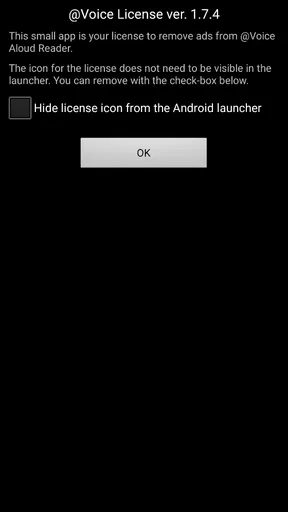
The license is listed at $14.99, and one setup detail matters before anything else: the small license app must be installed after purchase for the license to work. I would treat that as part of the buying process, not an optional extra step. The main @Voice reading app handles the listening experience; this separate purchase is meant to unlock premium use. If you are expecting the license by itself to read documents, you will be disappointed. The extra install is a handoff between two pieces of the setup, and it is worth understanding before paying.
Choosing the right starting point
I would consider this license if I already rely on text-to-speech or regularly collect articles, notes, and documents that I cannot comfortably read on a screen. It makes most sense for someone who listens often enough to care about interruptions, reading pace, and voice choice. If you only need occasional spoken directions or want professionally narrated books, a standard reader built into your phone or a dedicated audiobook service may suit you better.
That distinction is important: text-to-speech is a way to make written material audible, not a guarantee that every file will sound like a polished recording. The voice depends on the speech engine and voice options available on the device, while the source text affects how natural the result feels. A clean article is usually a better listening candidate than a dense page full of tables, footnotes, or unusual formatting.
The Magic of Text-to-Speech
The @Voice Premium License app is primarily designed to read aloud text using text-to-speech technology. The app itself is free, but upgrading to the premium license unlocks a treasure trove of features that make the experience even more seamless. Imagine sitting back, sipping your coffee, and having your favorite articles read to you. Sounds dreamy, right?
Getting Started
Getting started with this app is a breeze. Once you've downloaded it from the Play Store, you simply need to import the text you want to be read. It supports a myriad of formats, including PDF, DOC, TXT, and HTML, which makes it incredibly versatile. Just tap on the file and let the app do the talking. Literally.
In practice, I would start with a short, familiar document rather than a long report. That gives you a quick way to check whether the text comes through in the right order and whether the selected voice is comfortable to hear. A PDF with multiple columns, headers, or footnotes can behave very differently from a plain text file, so a brief trial helps you decide whether a particular source is worth listening to or better read on screen.
For a day-to-day routine, the useful move is to prepare material at the moment you find it. If I come across a long article while waiting for a meeting, I can pass it into the reading workflow and save the actual listening for a walk or a household chore. This separates discovery from consumption: I do not need to stop what I am doing to read immediately, and I am less likely to lose the article among open browser tabs.
Features That Stand Out
One of the standout features is the app's ability to read web pages directly. You can share a webpage link to @Voice, and it will strip away all the unnecessary clutter, leaving you with the pure content to enjoy. This feature alone has saved me countless hours of squinting at small fonts on my screen.
That web-page handoff is especially useful when an article is surrounded by menus and sidebars. Still, I would listen to the opening section before settling in for a long session. Pages that rely on captions, embedded material, or complicated layouts can leave gaps or produce awkward transitions, and the cleaned text may not preserve the visual context that makes a chart or list understandable. For reference-heavy reading, keeping the original page available is sensible.
Another nifty feature is the app's ability to adjust the reading speed and voice. Whether you prefer a slow, methodical pace or a more brisk read-through, the app has got you covered. Plus, with a variety of voice options, you can pick the one that feels just right for you.
I find it easier to tune speed with familiar material than with a new subject. A comfortable pace for a personal essay may be too quick for technical instructions, while slowing everything down can make light reading drag. I would also test a voice with names and specialist terms before trusting it for a work document; an otherwise pleasant voice can become tiring if it repeatedly handles important vocabulary poorly.
Why Go Premium?
So, why should you consider the premium upgrade? Well, for starters, it eliminates those pesky ads that tend to pop up at the most inconvenient times. Moreover, it allows for unlimited text conversions and access to premium voices. The ability to sync across devices is another cherry on top, making sure you never lose your place, no matter which device you pick up.
Before buying, I would separate the value of the license from the value of the underlying reading app. The license is most compelling if the premium features remove a recurring annoyance in your routine; it is less compelling if you only listen once in a while or are satisfied with your phone’s built-in speech options. The price is a one-time consideration for the license, but the practical benefit still depends on whether you use the reading workflow regularly.
There is also a small but meaningful setup question: what happens if you change devices? The license app needs to be installed after purchase for it to work, so I would keep that requirement in mind when setting up a replacement phone or reinstalling the reader. The license is not itself the content library, and it does not make every document automatically available everywhere. Treat your files and the license as separate parts of the routine rather than assuming one purchase handles both.
Real-Life Applications
Let me tell you how I use this app in my everyday life. As someone who's always on the go, I often find myself without the luxury of time to sit down and read. With @Voice, I can listen to my favorite blogs or even catch up on work documents while cooking or commuting. It's like turning any mundane task into a productive session.
A realistic example is a morning when I have a saved article to finish and dinner to prepare later. I can send the page into the reader while I have a free moment, check that the extracted text starts in the right place, then listen while chopping vegetables. If I reach a section with a name or instruction I need to remember, I can pause and look at the source rather than pretending audio is ideal for every detail. That small switch between listening and checking the original is more useful than trying to force every task into hands-free mode.
For students, the app can be a real lifesaver during study sessions. Imagine having your notes read out loud while you organize your thoughts or prepare for an exam. It’s a game-changer.
I would use that study approach as a second pass, not a substitute for close reading. Listening can help with reviewing familiar notes, catching repeated points, or staying engaged during a break from the screen. But formulas, diagrams, tables, and precise punctuation often need visual attention. A practical workflow is to listen to a clean text version, then return to the source for anything where layout or exact wording matters.
Who benefits most from this workflow
I think the strongest fit is someone who already has a steady stream of written material and wants to move it into a listening slot: commuters, people doing routine chores, readers who tire of screens, and students revisiting notes. The app’s advantage over a basic system reader is not that every voice will sound human; it is the way the reading workflow can bring web pages and documents together with controls for pace and voice.
Compared with an audiobook app, this is a different kind of convenience. Audiobooks are usually the better choice when you want a finished, expressive performance of a book. A text-to-speech reader is more flexible for articles and personal documents, but the narration can be flatter and the input may need checking. Compared with simply using a phone’s built-in accessibility speech, a dedicated reading setup can be more comfortable for people who regularly collect material, while a built-in option wins if you want no extra purchase or app setup.
I would skip the license if your main goal is to listen to a small number of professionally produced books, if you need perfect pronunciation for technical material, or if you rarely have a chance to listen. It is also not a great match for someone who expects audio to replace all screen reading. The value is in fitting written content into otherwise unused time, not in making every format effortless.
A Few Considerations
While the app is pretty solid, there are a few considerations to keep in mind. The voice quality, although decent, might not match the natural tone of a human reader. Some users might also find the occasional mispronunciation a tad annoying. However, these are minor hiccups in an otherwise smooth experience.
That trade-off becomes more noticeable during long sessions. A voice that sounds acceptable for a short article may feel monotonous over an hour, and awkward pronunciation can interrupt concentration. I would adjust speed and voice before abandoning a document, but I would not spend time trying to rescue a badly structured source. Sometimes the best decision is to read that particular material visually and use text-to-speech for cleaner content.
The app is a productivity release from Hyperionics Technology, originally released on January 9, 2013. Its current version is 2.1.2 and it requires Android 5.0 or later. Those details make compatibility worth checking if you are setting up an older device. It carries a Teen age rating, and its average rating is 4.3 from around 3,600 ratings, with roughly 420 written reviews and over 100,000 installs. I take that as a useful sign that it has an established audience, not a promise that every voice or file type will suit my own routine.
One practical question is whether it is worth paying before trying the general reading experience. I would first see whether the main app handles the kinds of pages and files I actually use, and whether the available voice on my device is comfortable. The premium license is easier to judge once I know the basic listening workflow fits; buying it will not fix poor source formatting or turn synthetic narration into a studio performance.
In conclusion, the @Voice Premium License is a fantastic tool for anyone looking to enhance their multitasking capabilities or simply enjoy a hands-free reading experience. With its range of features and user-friendly interface, it’s definitely worth considering for anyone serious about making the most out of their time.
So, if you’re ready to transform how you consume written content, give this app a shot. You might just find it becomes an indispensable part of your daily routine, just like it has for me!
Verdict
Strengths of @Voice Premium License
- Unlocks all premium features instantly.
- Ad-free experience enhances usability.
- Improves text-to-speech quality.
- Allows unlimited article storage.
- Syncs across multiple devices.
Limitations of @Voice Premium License
- Requires initial app installation.
- Premium features need purchase.
- Limited to compatible text formats.
- Occasional app crashes reported.
- Regular updates may be needed.
Other Releases by Hyperionics Technology
View All
@Voice: Text to Speech Reader
Books & Reference4.3
Similar Picks in This Category
View All
Google Calendar
Google LLC4.6

Google Drive
Google LLC4.3

Google Assistant
Google LLC3.9

Microsoft OneDrive
Microsoft Corporation4.6

Samsung Calendar
Samsung Electronics Co., Ltd.4.1

Microsoft OneNote: Save Notes
Microsoft Corporation4.6
Frequently Asked Questions
What is the purpose of the @Voice Premium License app?
The @Voice Premium License app is designed to enhance your reading experience by allowing text-to-speech functionality across various formats, including PDFs, web pages, and eBooks. With this app, users can convert text into audio, making it ideal for multitasking or for those who prefer listening to reading. The premium version unlocks additional features for a more seamless experience.
What additional features does the premium version offer over the free version?
The premium version of the @Voice app offers several enhancements over the free version. It removes ads, allows for unlimited bookmarks and annotations, and provides access to advanced settings for voice and playback customization. Additionally, premium users can enjoy improved file management and integration with cloud storage services, making it easier to access and manage documents.
Is the @Voice Premium License app user-friendly for beginners?
Yes, the @Voice Premium License app is designed with an intuitive interface that is suitable for users of all levels. Beginners will find the app's navigation straightforward, with clear instructions and a user-friendly setup process. The app also provides helpful tutorials and tips to assist new users in maximizing its features effectively.
Does the app support multiple languages and accents for text-to-speech?
The @Voice Premium License app supports a wide range of languages and accents, catering to a global audience. Users can select from various voice options to match their preferences, enhancing the listening experience. The app continuously updates its language offerings, ensuring a broad selection for users around the world.
How does the app handle document formats and file compatibility?
The @Voice Premium License app is compatible with a wide array of document formats, including PDFs, HTML, ePUBs, and text files. It allows for smooth conversion of these formats to audio, ensuring users can listen to content regardless of its original format. The app also supports integration with cloud services for easy file access.
